Sherlocq MCP Connectors
How to Connect — Claude & ChatGPT
Connect Sherlocq MCP to Claude
Before you start
- A Sherlocq account (free or paid) sign up at sherlocq.ai if you don’t have one
- The Claude desktop or web app open
Setup steps
Step 1 – Open Connectors in Claude
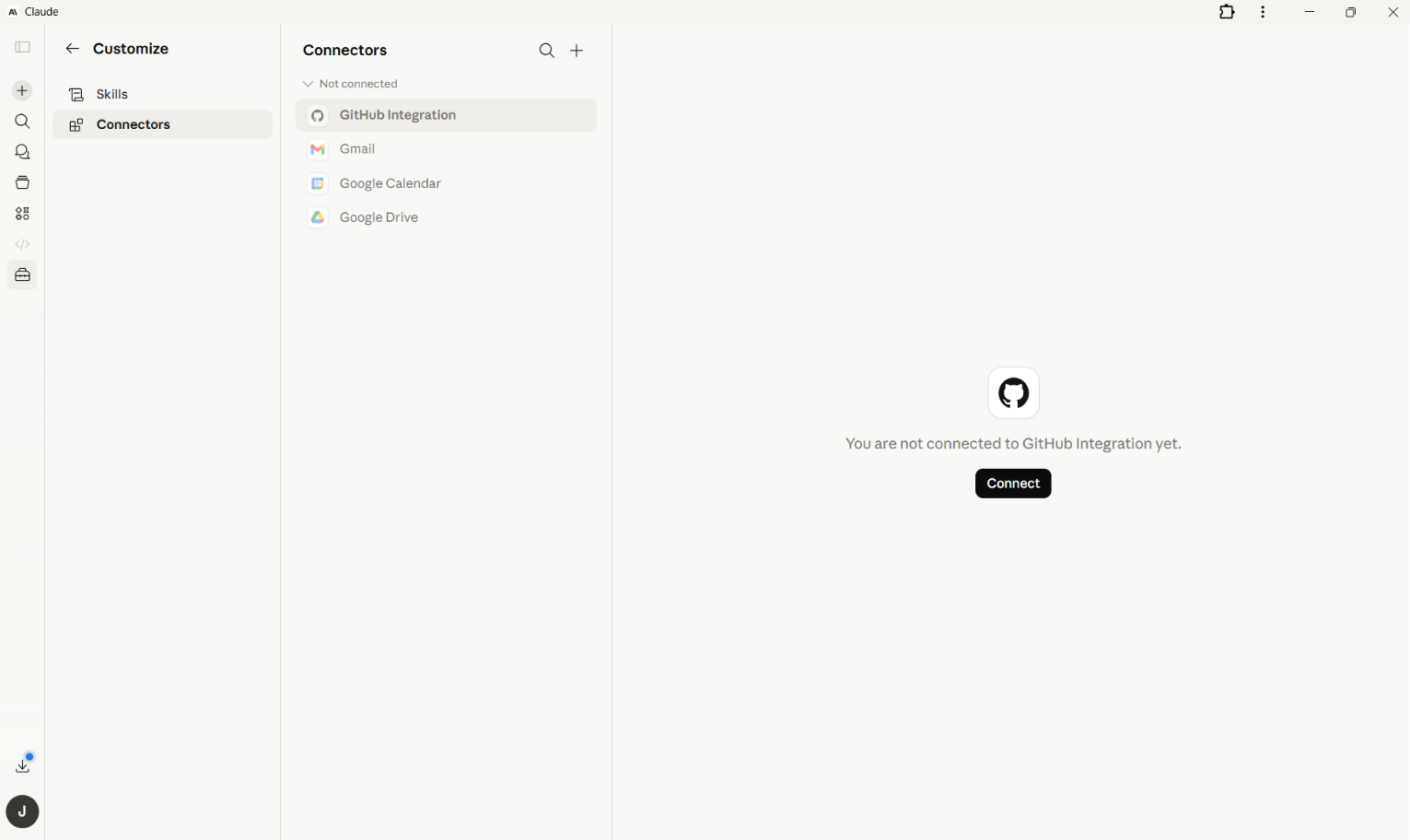
In Claude, click the avatar in the top right and select Customize. From the Customize panel, choose Connectors in the left sidebar.
Step 2 – Add a custom connector
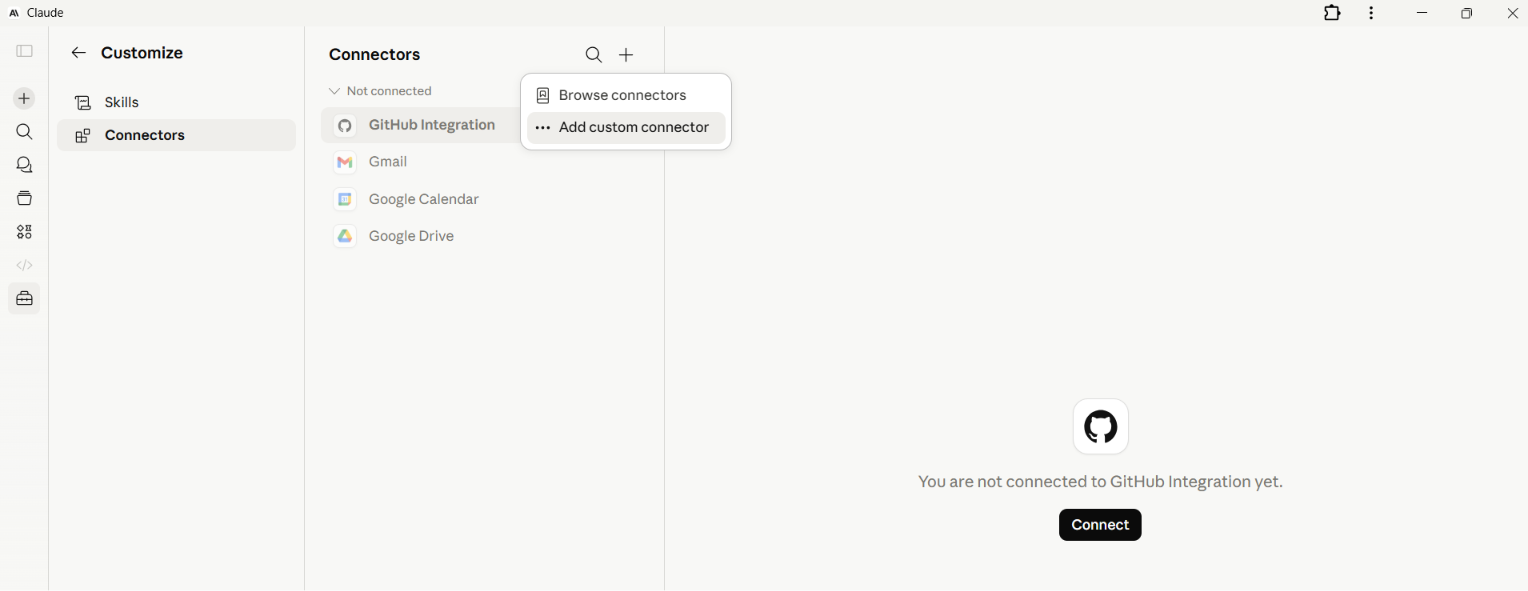
Click the + icon at the top of the Connectors panel. From the dropdown, select Add custom connector.
Step 3 – Enter Sherlocq’s details
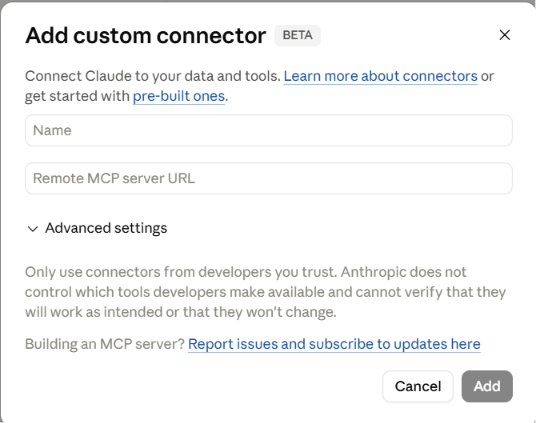
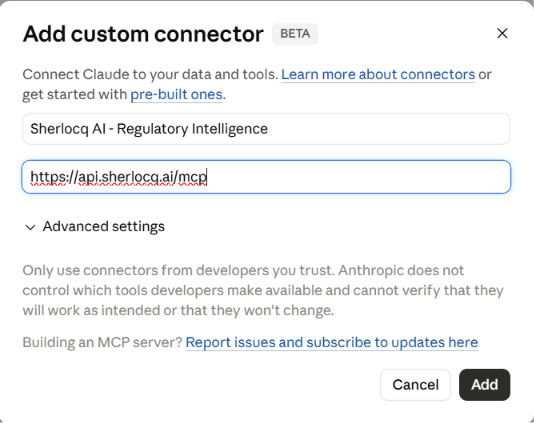
In the Add custom connector dialog, enter:
Name: Sherlocq AI Regulatory Intelligence
Remote MCP server URL: https://api.sherlocq.ai/mcp
Click Add.
Claude will show a one-time trust notice this is standard for any new custom connector. Sherlocq is ISO 27001 and ISO 27701 certified; your data is processed within a secure environment.
Step 4 – Sign in to Sherlocq
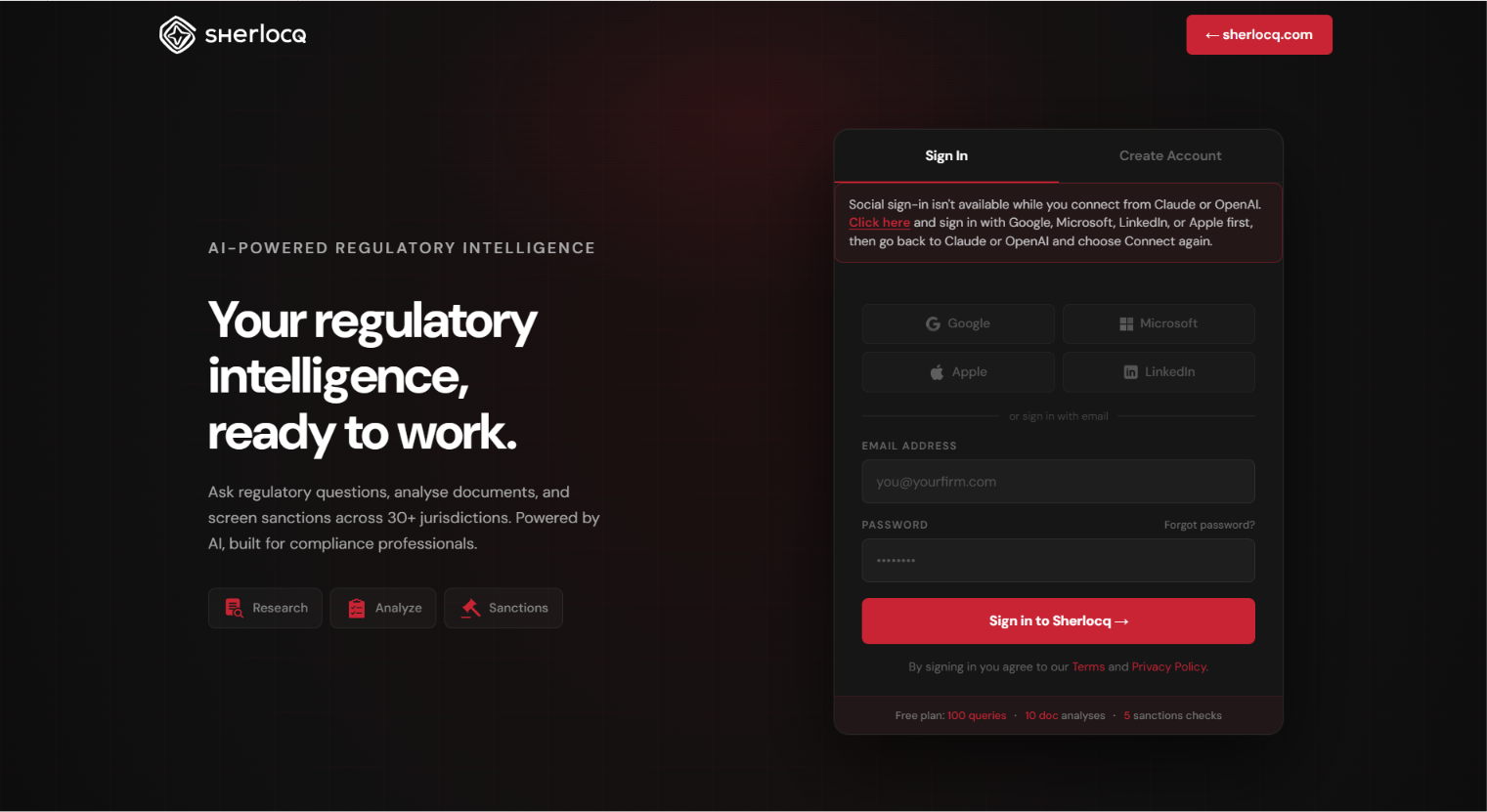
Claude will redirect you to Sherlocq’s sign-in page. Enter your Sherlocq credentials and authorise the connection. You’ll be returned to Claude automatically once authentication completes. Don’t have a Sherlocq account yet? You can sign up free at sherlocq.ai and return to this step.
Step 5 – Confirm Sherlocq is connected
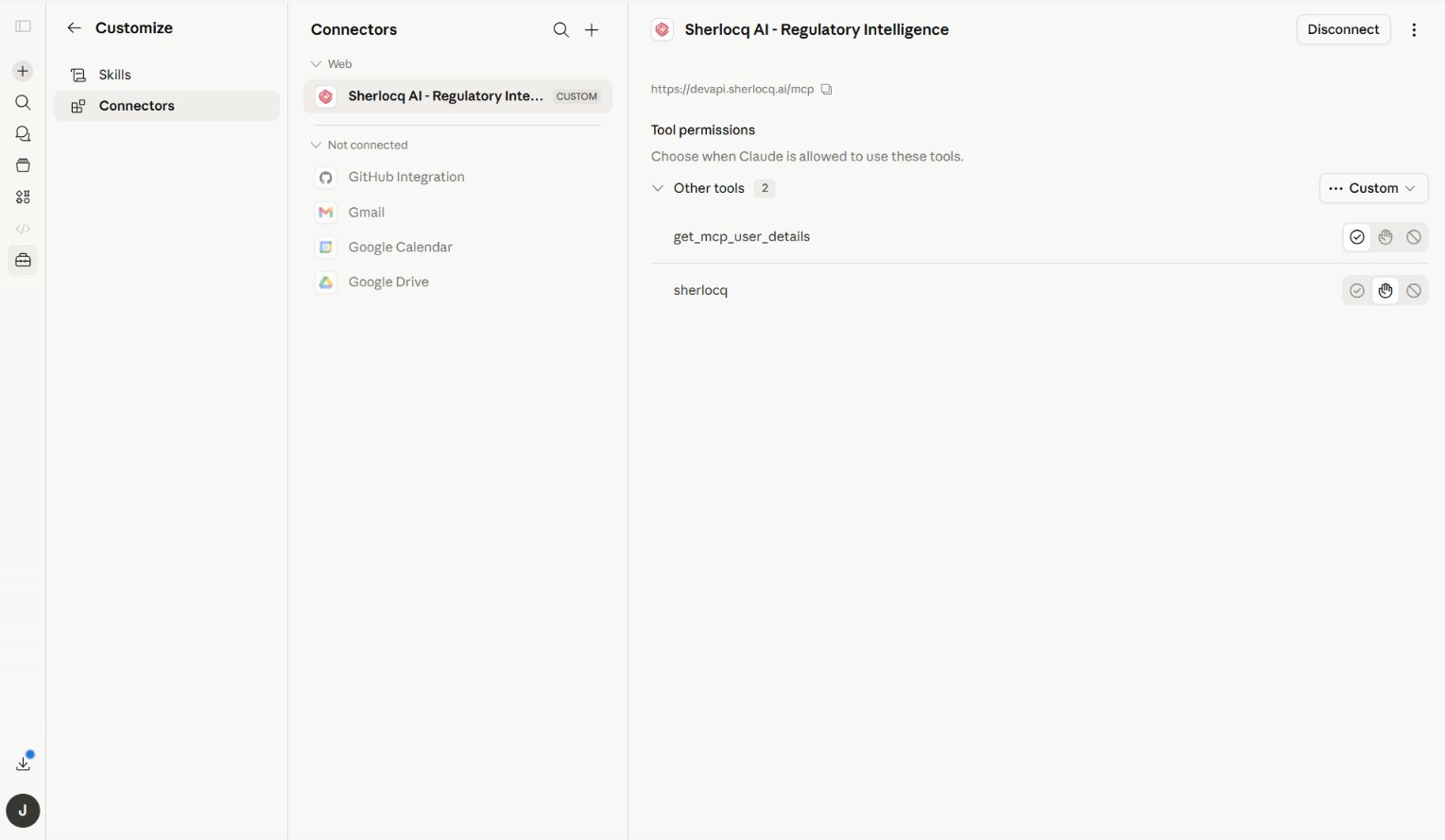
Once authentication completes, you’ll see Sherlocq AI Regulatory Intelligence listed under Web in your Connectors with a Custom badge. The connector is now ready to use.
Using Sherlocq in a conversation
Step 6 – Ask Sherlocq a regulatory question
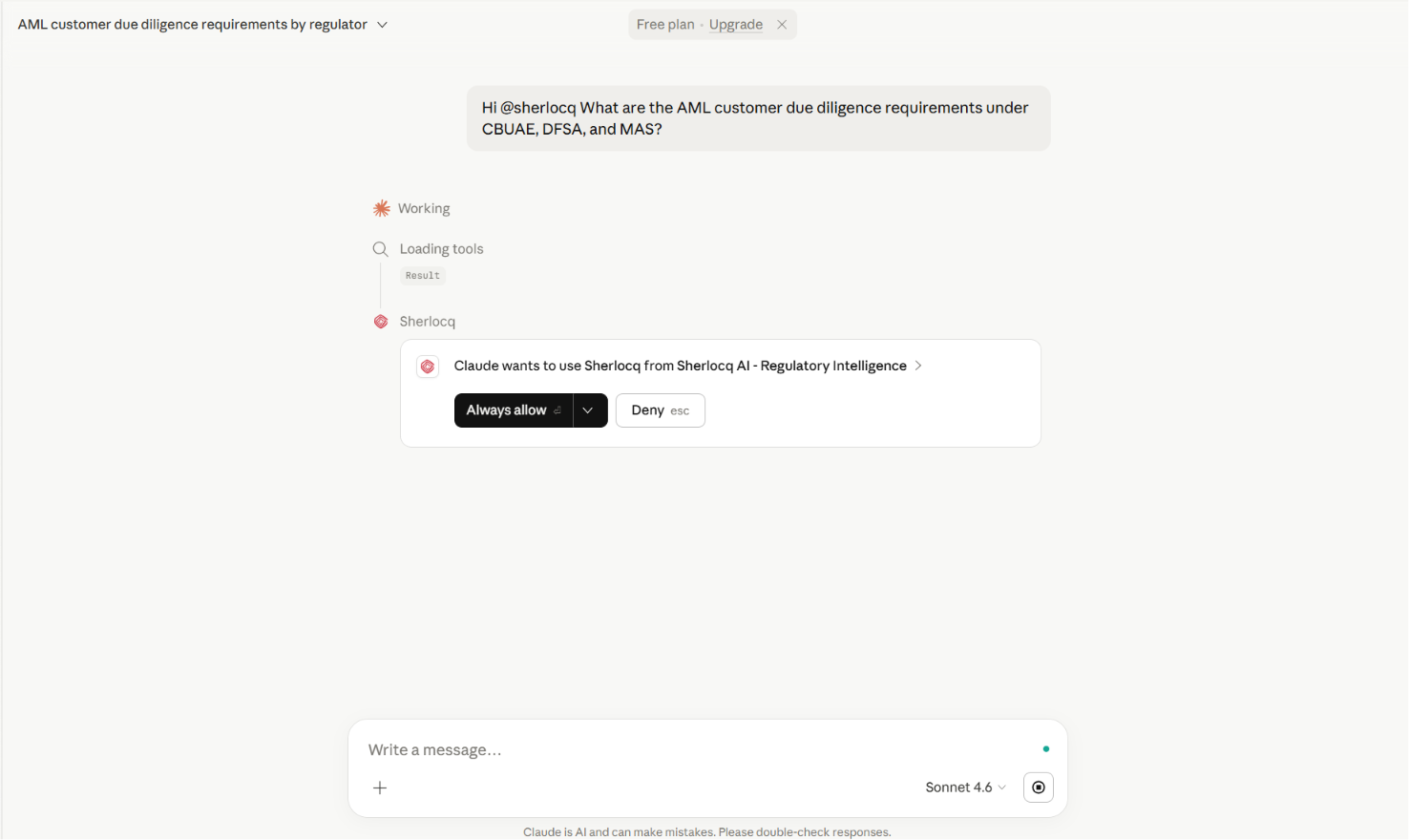
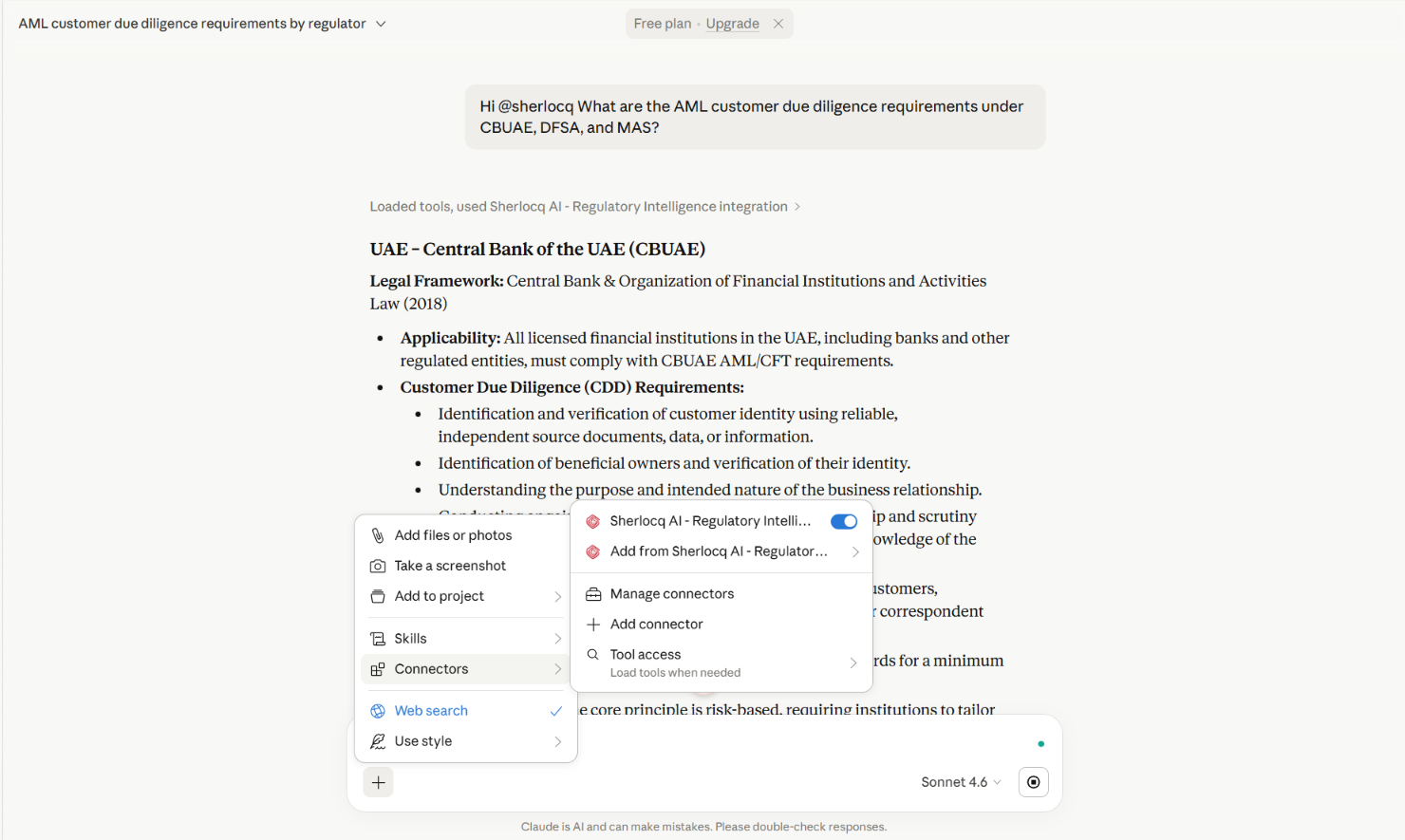
In any Claude conversation, type @sherlocq to invoke the connector, then ask your question. For example: “@sherlocq What are the AML customer due diligence requirements under CBUAE, DFSA, and MAS?”
Sherlocq will return a citation-backed answer drawn from primary regulatory sources.
Tip – Manage Sherlocq from any conversation
You can enable or disable Sherlocq for individual conversations by clicking the + icon in the chat composer, hovering on Connectors, and toggling Sherlocq on or off. From the same menu you can also access Add from Sherlocq AI for related actions, or Manage connectors to revisit settings.
Connect Sherlocq MCP to ChatGPT
Before you start
- A Sherlocq account (free or paid) sign up at sherlocq.ai if you don’t have one
- The ChatGPT web app open
Setup steps
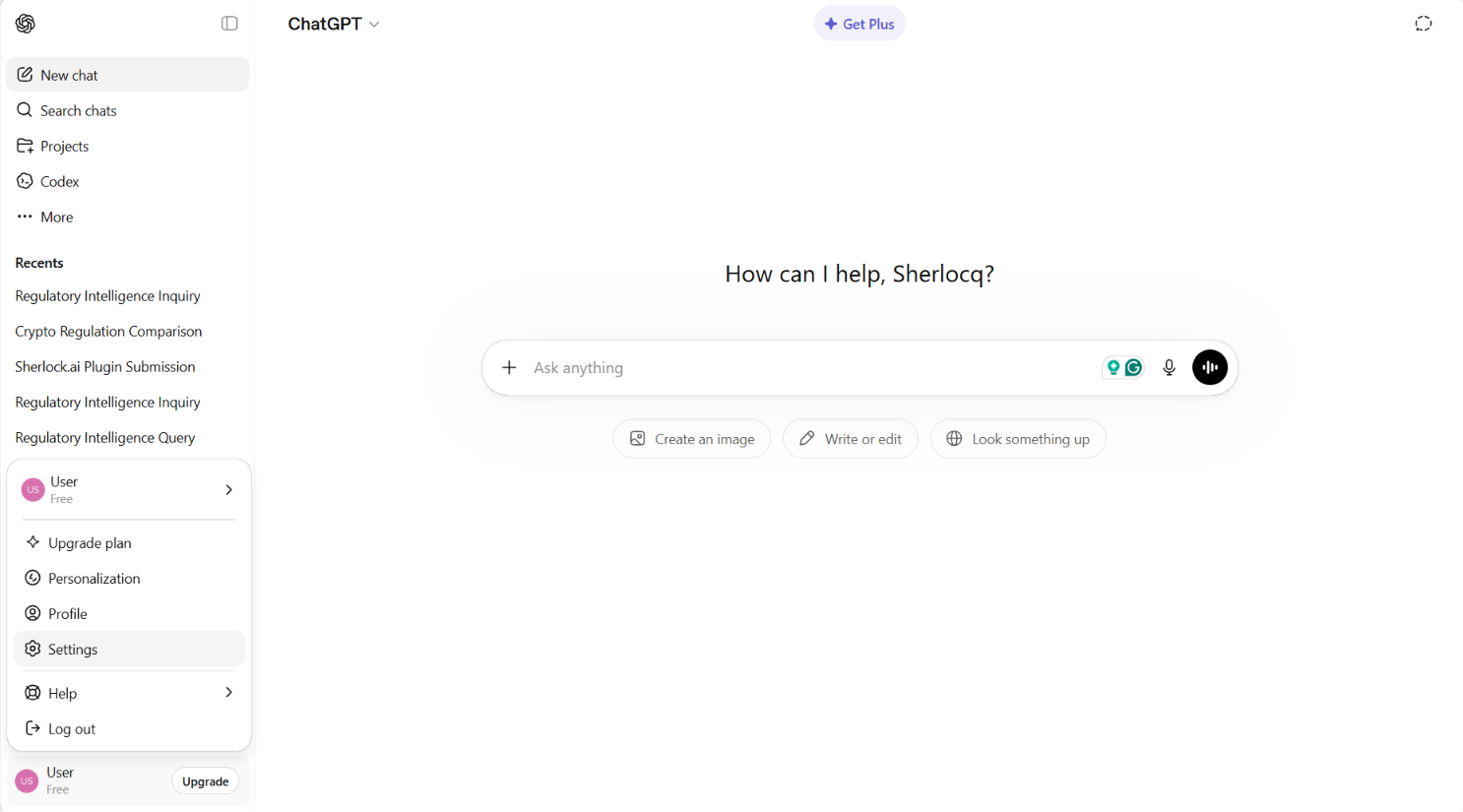
Step 1 – Open Settings
In ChatGPT, click your profile icon in the top right and select Settings from the dropdown.
Step 2 – Open Apps and go to Advanced settings
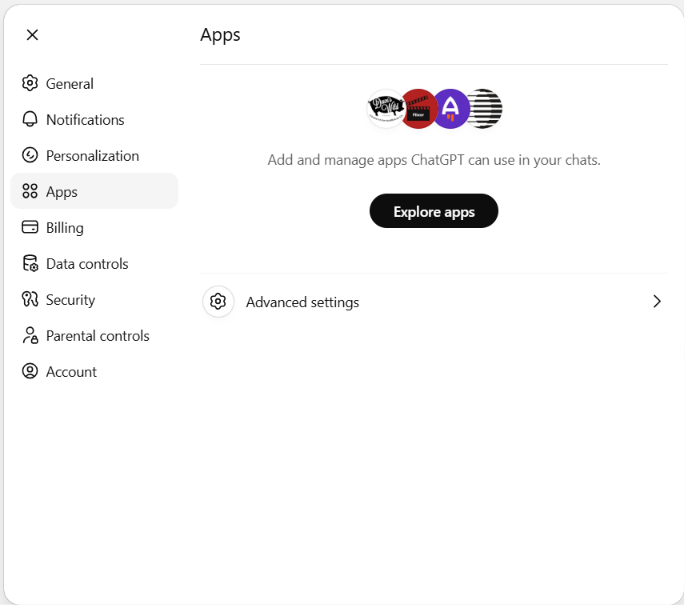
In Settings, select Apps from the left sidebar. Click Advanced settings to open developer options.
Step 3 – Enable Developer Mode
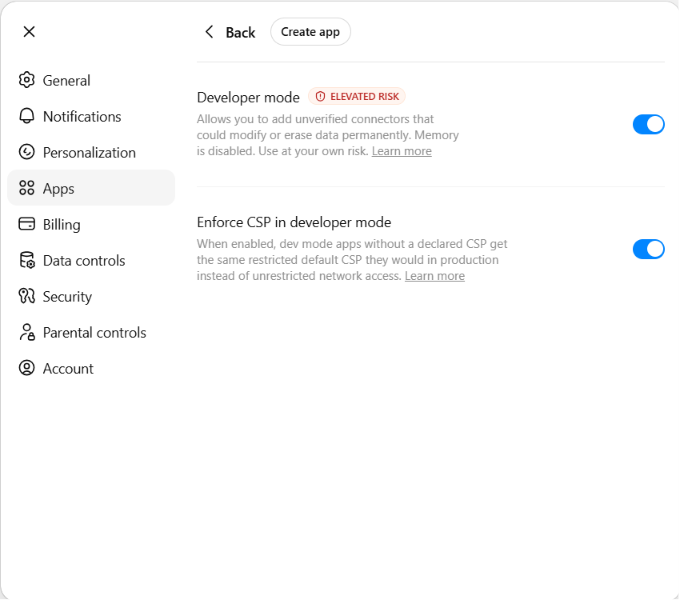
Toggle on both Developer mode and Enforce CSP in developer mode.
Developer Mode lets you add custom apps that aren’t yet listed in OpenAI’s app directory a one time step until Sherlocq’s directory listing is approved. Enforce CSP keeps standard production-level security in place.
Step 4 – Create a new app
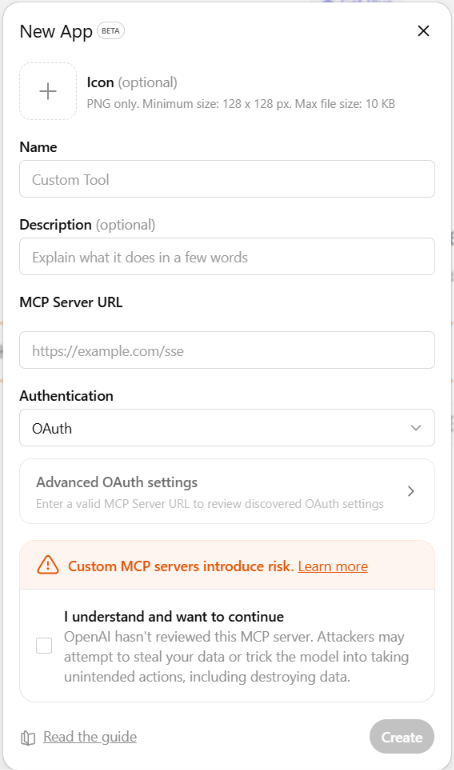
Click Create app in the top right of the Advanced settings screen. The New App dialog will open.
Step 5 – Enter Sherlocq’s details
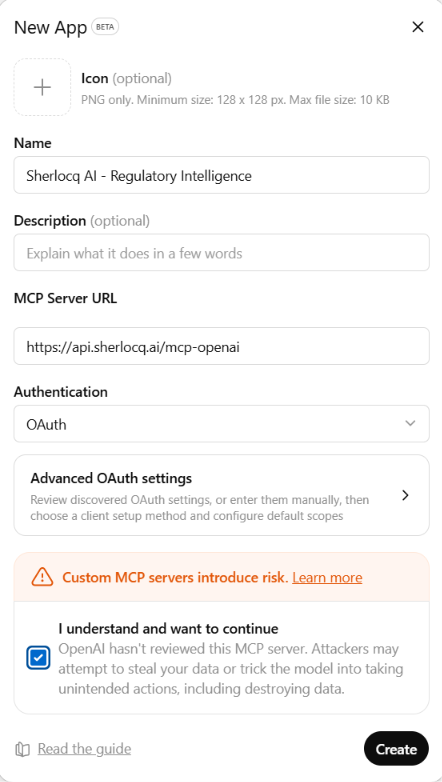
In the New App dialog, enter:
Name: Sherlocq AI Regulatory Intelligence
Description (optional): AI powered regulatory research for compliance and legal professionals
MCP Server URL: https://api.sherlocq.ai/mcp-openai
Authentication: OAuth
Tick “I understand and want to continue” to acknowledge OpenAI’s standard custom-app notice, then click Create.
Sherlocq is ISO 27001 and ISO 27701 certified; your data is processed within a secure environment.
Step 6 – Sign in to Sherlocq
ChatGPT will redirect you to Sherlocq’s sign-in page. Enter your Sherlocq credentials and authorise the connection. You’ll be returned to ChatGPT automatically once authentication completes. Don’t have a Sherlocq account yet? You can sign up free at sherlocq.ai and return to this step.
Using Sherlocq in a conversation
Step 7 – Ask Sherlocq a regulatory question
In any ChatGPT conversation, type @ to bring up the app picker, then select Sherlocq AI Regulatory Intelligence. (You can also type @sh and the autocomplete will surface Sherlocq directly.)
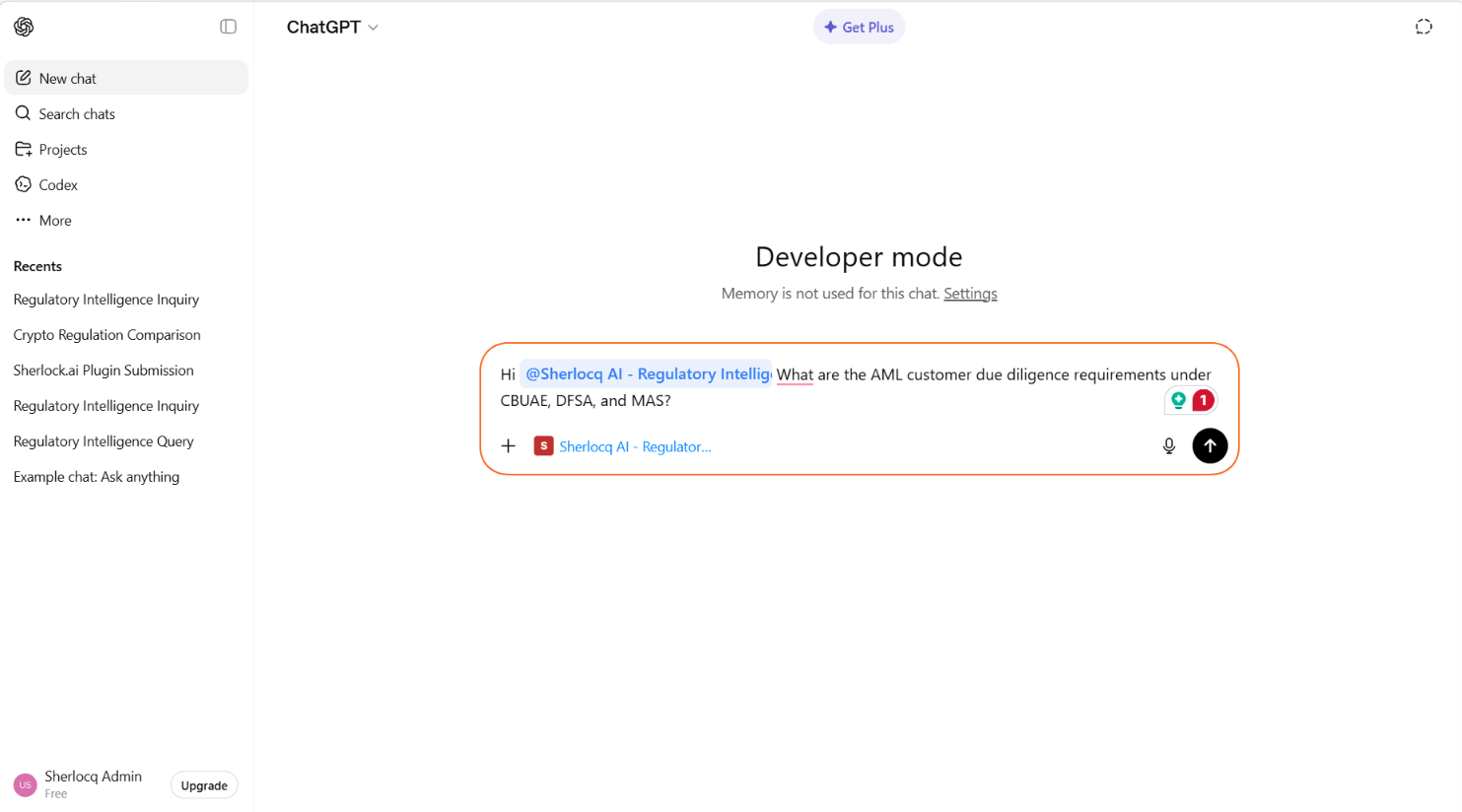
Then ask your question. For example: “@Sherlocq AI Regulatory Intelligence What are the AML customer due diligence requirements under CBUAE, DFSA, and MAS?”
Sherlocq will return a citation-backed answer drawn from primary regulatory sources.